The Anti-App Philosophy: Systems That Work WITH Your ADHD Brain
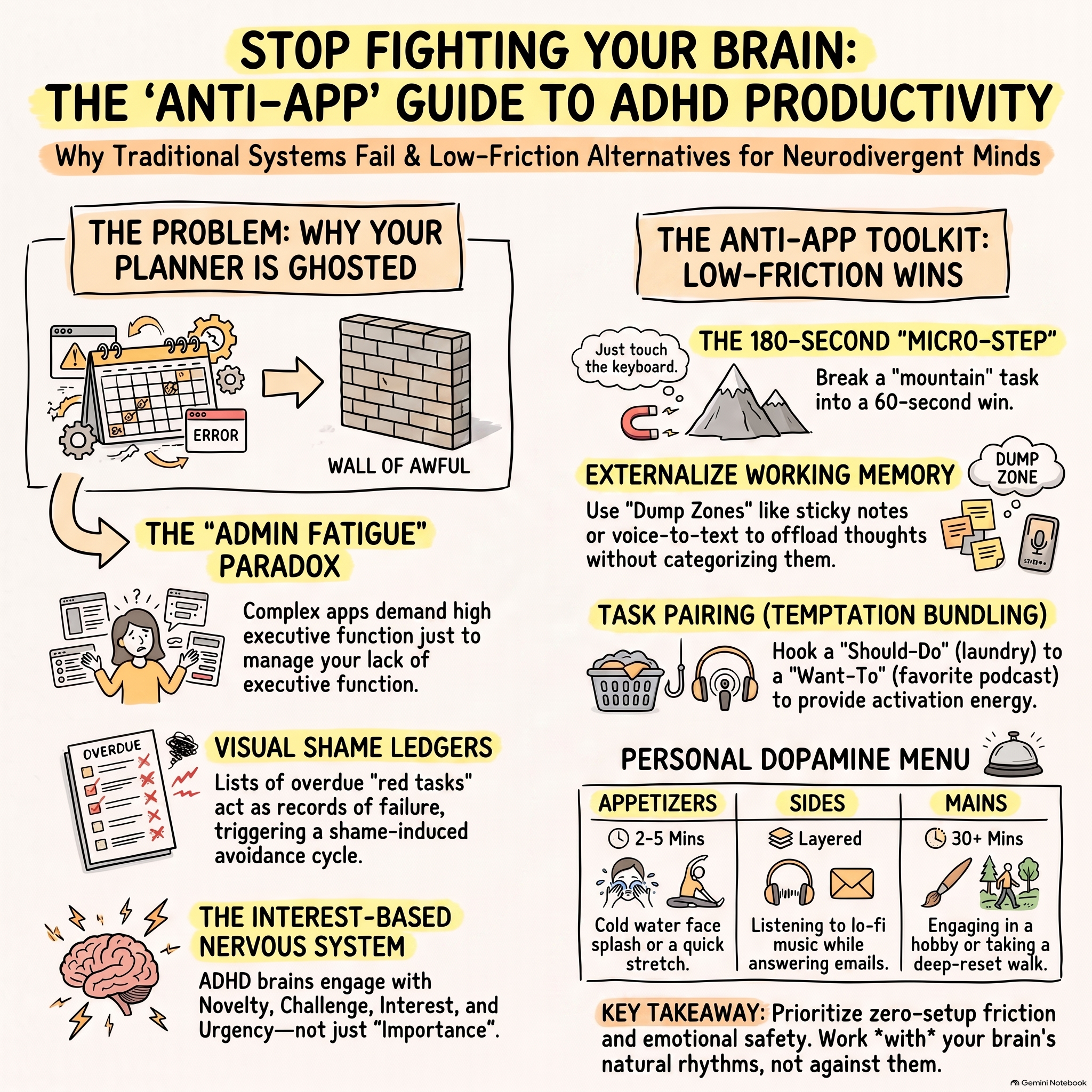
The Anti-App Philosophy: How to Build Systems That Work With Your ADHD Brain You know this cycle. You discover a new productivity app that promises to organize your life, cure your procrastination, and finally bring order to the chaos. Excited, you spend hours customizing categories and setting up color-coded labels. For three days, you feel like a new person, riding a wave of digital efficiency. But by day four, the novelty fades. The notifications start to feel like nagging. By day ten, you actively swipe away the app's alerts, feeling a wave of guilt every time you see its icon on your home screen. Eventually, you hide the app in a folder, silently blaming yourself for once again lacking the discipline to stick with a system. If you have ADHD or struggle with executive dysfunction, this is not a personal failure. You are not lazy. The truth is that most digital productivity apps are built for neurotypical brains and directly clash with neurodivergent biology. To stop this cycle of shame, you need to step away from the App Store and embrace an anti-app philosophy: building simple, tactile, physical systems that work with your brain. Why Digital Apps Fail the ADHD Brain To understand why apps feel like a chore, we must look at how the ADHD brain processes information. Your brain operates on an interest-based nervous system. While a neurotypical brain can initiate tasks based on abstract, long-term importance, your brain requires immediate interest, novelty, challenge, or urgency to release dopamine—the neurotransmitter necessary for action and focus. When you download a new app, the setup process is highly novel, triggering a temporary dopamine surge. But as soon as the app becomes a daily routine, the novelty drops, the dopamine vanishes, and your brain begins to treat updating the app as an energy-draining chore. Additionally, a key executive challenge in ADHD is poor working memory and a struggle with object permanence. In the neurodivergent world, there is a fundamental rule: out of sight, out of mind. Digital apps hide your tasks behind a screen lock, an app icon, and a series of menus. This creates immense cognitive friction. Your prefrontal cortex must expend limited energy just to open the app and find your list. This administrative friction quickly triggers task resistance and physical freeze states. The Solution: How to Apply the Anti-App Philosophy Today The anti-app philosophy is about moving from digital complexity to physical immediacy. It reduces the administrative friction of managing your tasks and keeps your priorities visible in the real world. Here is how to build a brain-friendly system today: First, make your tasks physically visible. Since digital lists disappear the moment your screen goes black, transition to analog tools. Use a large whiteboard on your wall, a pad of sticky notes on your desk, or an open notebook that never gets closed. Place your physical tasks directly in your line of sight. When your tasks are a constant, physical presence, your brain does not have to expend precious executive energy to remember they exist. Second, reduce input friction to absolute zero. An app requires you to unlock your phone, open the app, click a button, type the title, select a category, and set a due date. This multi-step process is a major bottleneck for a low-dopamine brain. Instead, keep a single "brain dump" notepad and a pen resting open on your desk. When a task pops into your head, write it down instantly. Do not worry about organizing it yet; just get it out of your head before your working memory drops it. Third, design for the point of performance. The point of performance is the exact physical space where a task needs to happen. If you need to take medication in the morning, do not set an app reminder; place the pill bottle directly on top of your coffee mug the night before. If you need to file paperwork, leave the folder open on your chair so you must physically touch it before sitting down. By placing your cues directly in your physical path, you eliminate the starting friction. Fourth, prepare a clear starting point in advance. Before you finish your day, set up your physical workspace for the next morning. Open the exact notebook page, lay out your tools, or set up your desk so that starting tomorrow requires no planning. This simple act of preparation allows your brain to glide straight into action without hitting a starting block. Common Mistakes to Avoid The biggest mistake in the anti-app philosophy is falling into the novelty trap. When your physical system inevitably starts to feel less exciting after a few weeks, do not assume the system has failed and run back to the digital world. Instead, introduce minor, low-friction changes to renew your brain's interest. Swap the color of your whiteboard markers, move your sticky notes to a different spot on your monitor, or use a new pen. Another pitfall is over-complicating your physical system. Do not try to create a complex filing system with dozens of colored folders or rigid rules. If a system takes more than ten seconds to maintain, your executive function will reject it. Keep it incredibly simple: a notepad, a pen, and a visible surface are all you need. Finally, avoid using self-criticism as a motivator. If you forget to use your notepad for a day, simply wipe the board clean, forgive yourself, and start fresh with a single tiny step. The Takeaway You do not need another digital tool to fix your life. You do not need to customize more databases or manage more push notifications. Your brain is not designed to live inside a five-inch smartphone screen. It is built to interact with the physical world. By stepping away from the apps, making your tasks visible, and preparing your environment for zero starting friction, you work with your biology instead of fighting it. Keep your systems physical, keep them simple, and let natural momentum do the rest.